
YappyJappy
A chat partner for practicing Japanese — furigana over every kanji, gentle corrections, and readings the moment you need them.
Heads up: this one needs your own AI API key (Claude, ChatGPT, or Gemini) to chat. What you'll need ↓
YappyJappy is a chat app for practicing everyday Japanese. You talk back and forth with an AI conversation partner that writes at your level, sets furigana over every kanji, quietly fixes the mistakes in what you just said, and glosses the words it thinks are new to you. Save any word or sentence to your vocab list and keep the conversation going.
How it works
It started as a fix for one specific frustration. Having a practice conversation with a plain AI chatbot means the replies come back in kanji you might not be able to read yet — and when you ask for the readings, everything turns into a wall of hiragana that's just as hard to parse. There was never a clean way to see a kanji and its reading together, the way a Japanese book prints them.
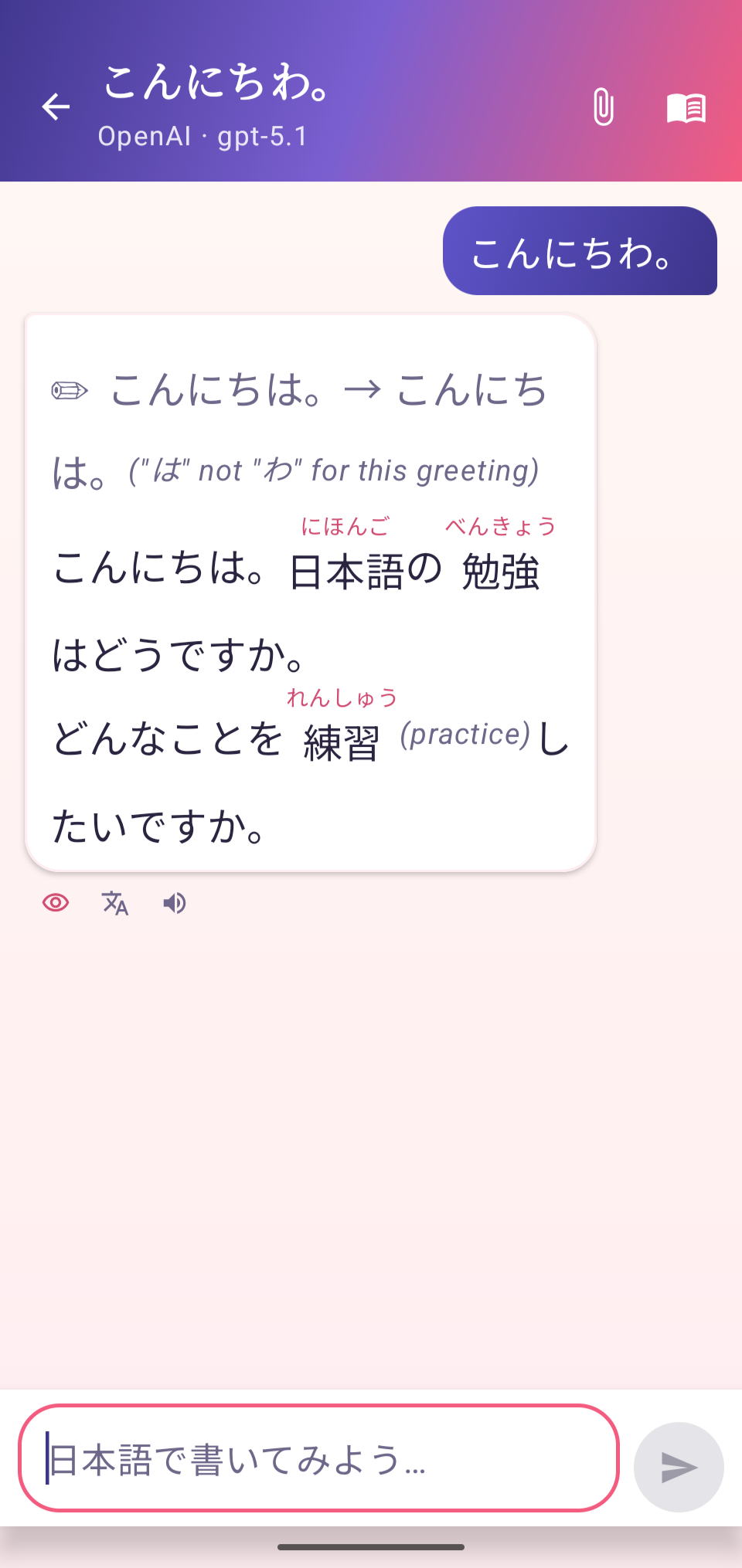
So YappyJappy formats every reply for a learner. After each word that contains kanji, the reading is shown as small furigana sitting right above the characters — real ruby text — so you can read naturally and only glance up when you need to.
When your last message had a mistake, the reply opens with a ✏️ line showing the corrected sentence and a short note on what changed, then carries on chatting like normal. If you didn't slip up, it just keeps the conversation going. Words it guesses are above your level get a quick English gloss in parentheses, and every reply ends with a plain-English translation for when you get stuck.
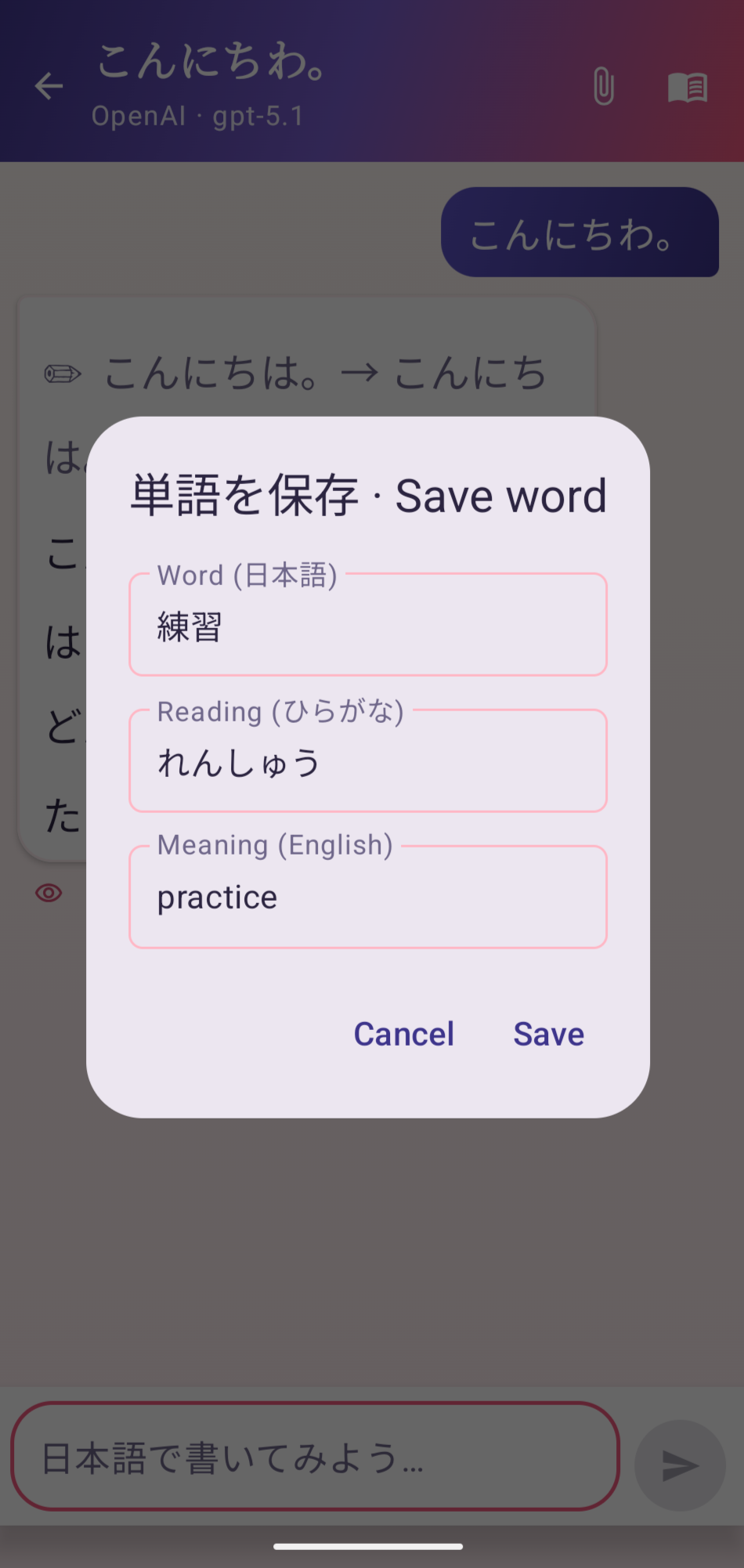
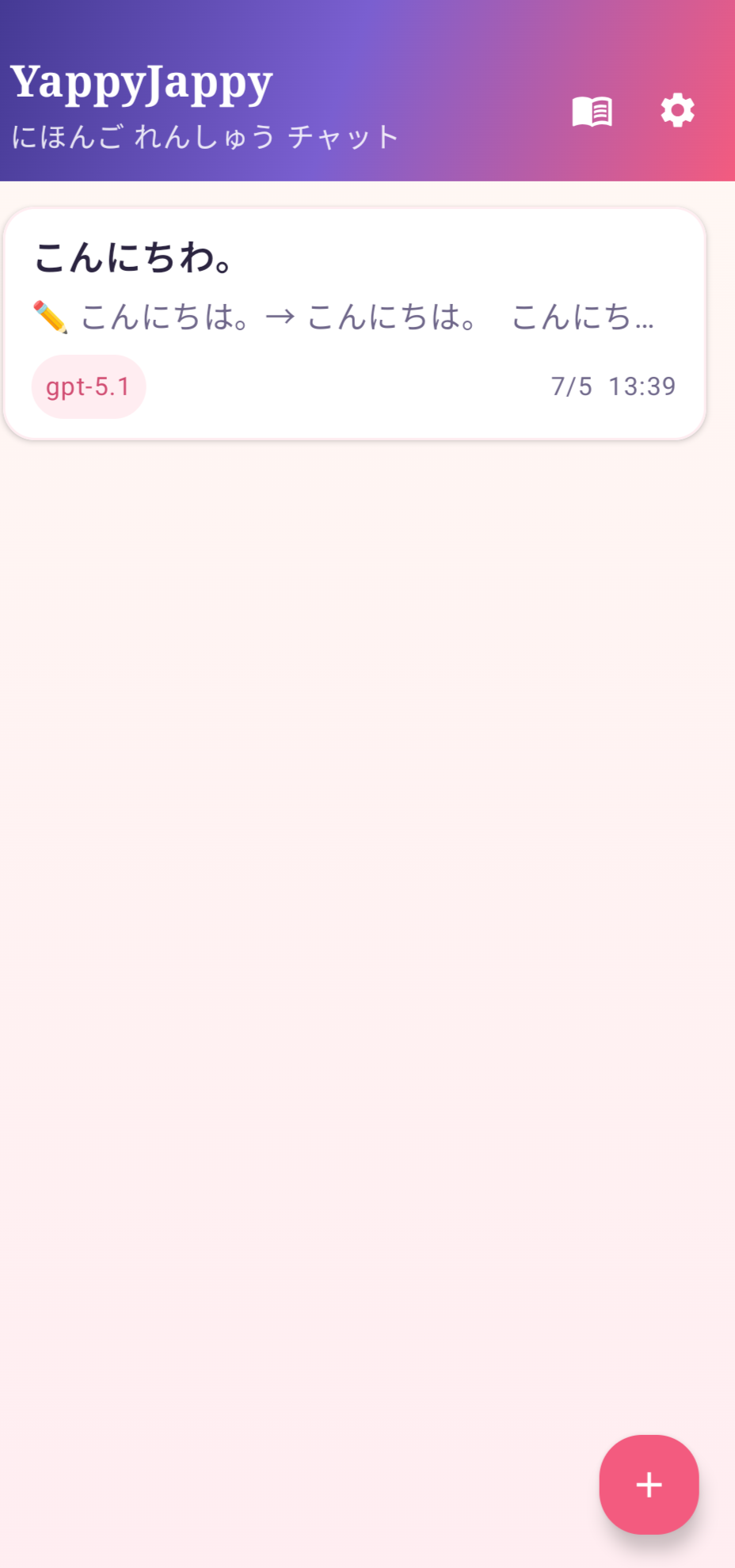
Anything worth keeping — a single word or a whole sentence, with its reading and meaning — saves to a vocab list in one tap. Your conversations stay on the device, so you can pick any of them back up later.
What it does
Furigana over every kanji
Readings sit above the characters as ruby text, so you can read at a glance and check yourself only when you need to.
Fixes mistakes as you go
A ✏️ correction line shows what you should have said, and a short note on why — without breaking the flow of the chat.
Explains the hard words
English glosses on vocabulary above your level, plus a full plain-English translation of every reply.
Save words & sentences
Build a personal vocab list with readings and meanings, one tap at a time.
Reads it out loud
Built-in text-to-speech speaks the Japanese so you can hear how it sounds.
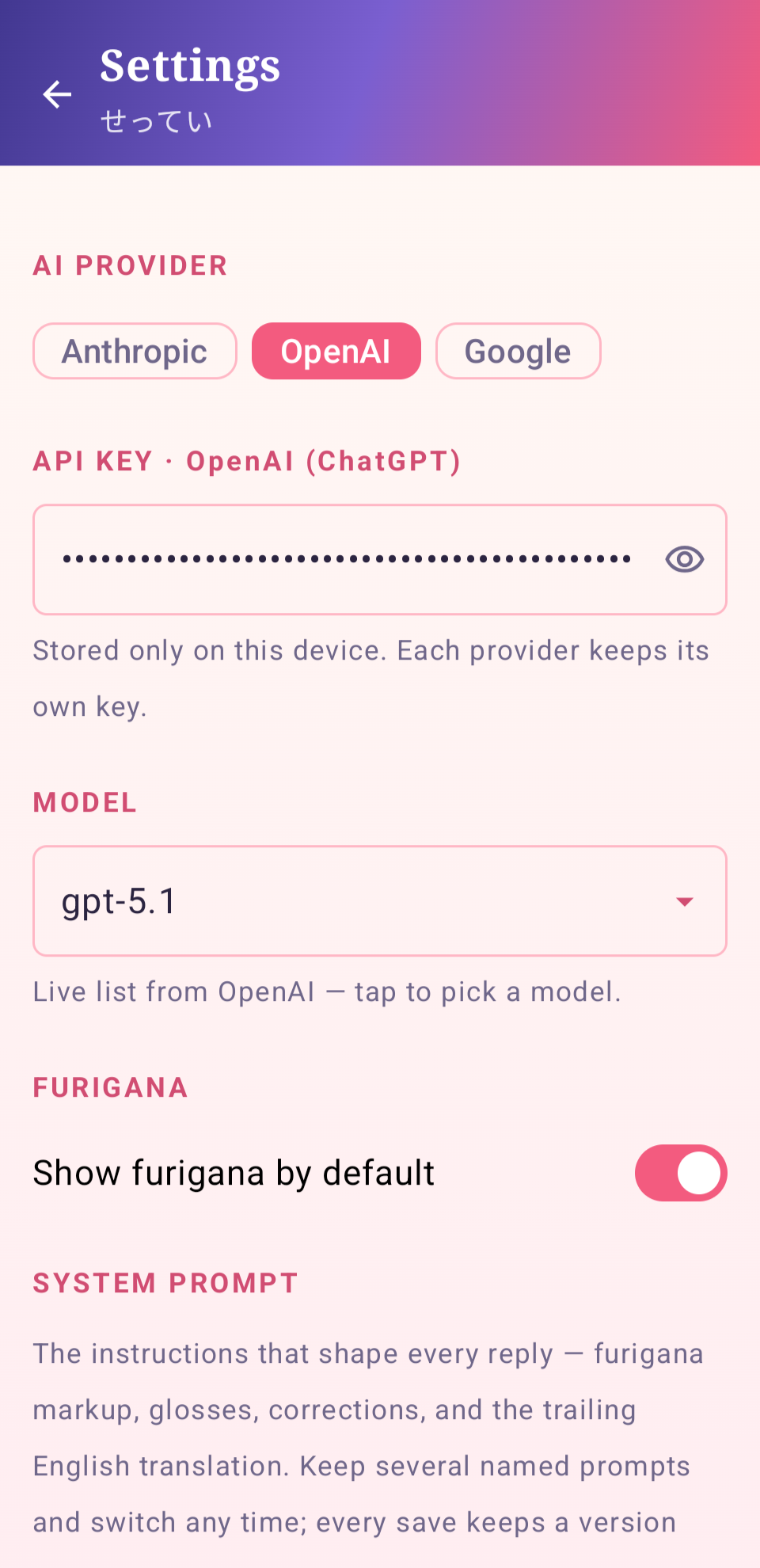
Your choice of AI
Works with Claude (Anthropic), ChatGPT (OpenAI), or Gemini (Google) using your own API key — pick the provider and model you like.
Tune the conversation
A prompt library keeps different setups — beginner chat, JLPT drills, keigo practice — so you can switch with a tap.
Backup & restore
Export your conversations, vocab, and prompts to a file, and bring them back any time.
What you'll need
- Android 10 or newer
- An API key from Anthropic, OpenAI, or Google — you bring your own, and the app talks straight to that provider
- An internet connection
Install it
This is a developer (debug) build, shared as-is — the same app I use day to day, not a Play Store release. It installs by sideloading, which is why Android shows the extra permission prompt.
- Download the APK below onto your Android phone.
- Open the downloaded file. Android will ask whether to allow installs from your browser or Files app — allow it. This is the normal "install unknown apps" prompt for anything that doesn't come from the Play Store.
- Tap Install, then Open.
- In the app's Settings, choose your provider (Claude, ChatGPT, or Gemini), paste your API key, and pick a model.
- Start a new chat and say hi. It'll ask what you'd like to talk about or practice.
File details
- File
- YappyJappy-v1.0.apk
- Size
- 57,546,266 bytes (55 MB)
- SHA-256
7f7a8c820db2cb1725b6e59d160cc30a913c62e5b9309a94b9dcbf2b2fefc59f- Build
- debug
- Min Android
- 10
Privacy
YappyJappy talks straight to whichever AI provider you choose, using the API key you enter — nothing is routed through this site or any server of mine. Your conversations and saved vocab live on your phone.