TapLex
Draw a box over any on-screen text — a game, a manga panel, a menu — and tap the words to get readings, meanings, and a pop-up dictionary right where you're reading.
Heads up: this one needs your own AI API key (Claude, ChatGPT, or Gemini) to chat. What you'll need ↓
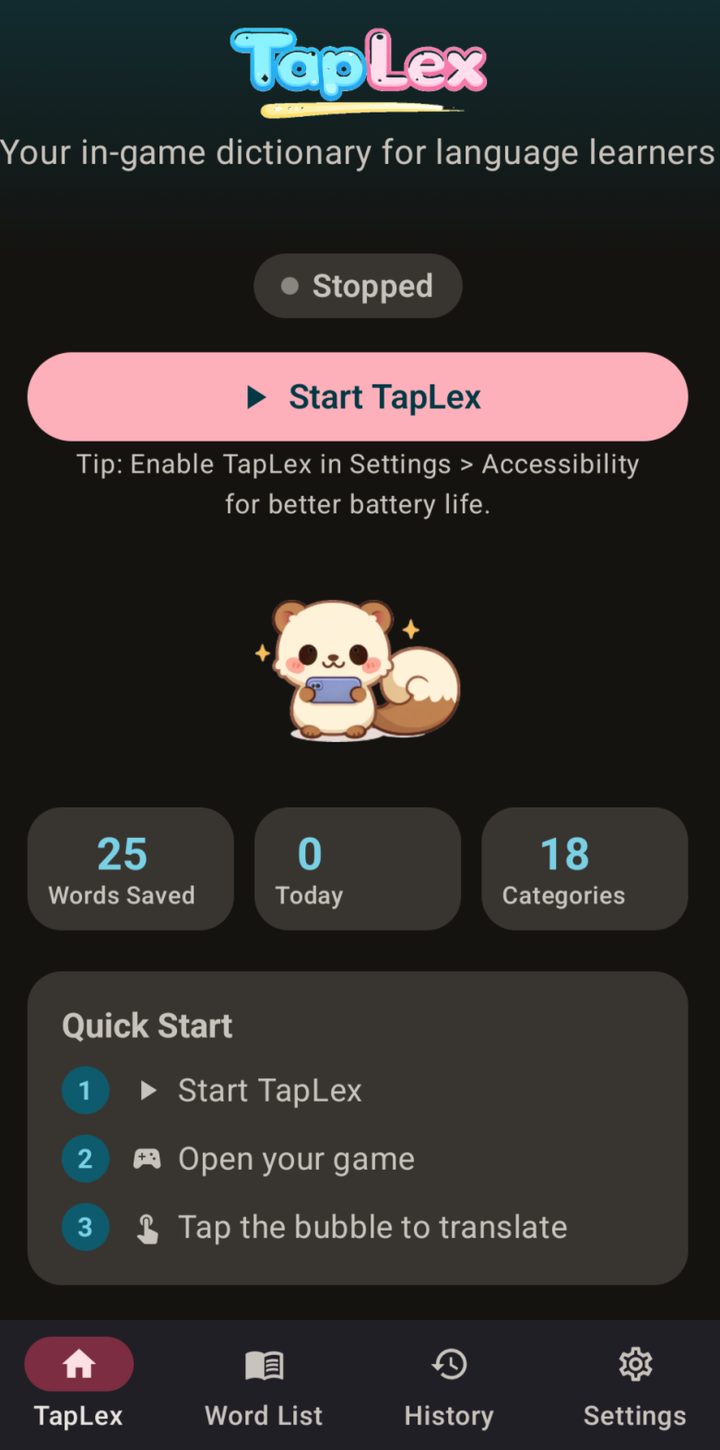
TapLex is a floating overlay that turns text in any app into a tappable dictionary. Point it at a region of the screen — a line of game dialogue, a manga panel, a menu — and it captures just that box, hands the crop to the AI you picked, and lays the sentence back out as clickable words with furigana over the kanji. Tap a word for its reading, meaning, and part of speech; ask a follow-up when you want more. Save anything worth keeping to a word list, and every capture is kept in your history.
How it works
It solves a specific kind of stuck. When you're reading Japanese in a game or a manga, the text is baked into the image — you can't select it, so you can't look anything up. Switching to a dictionary or an OCR app means leaving the thing you're reading, retyping what you can make out, and losing your place.
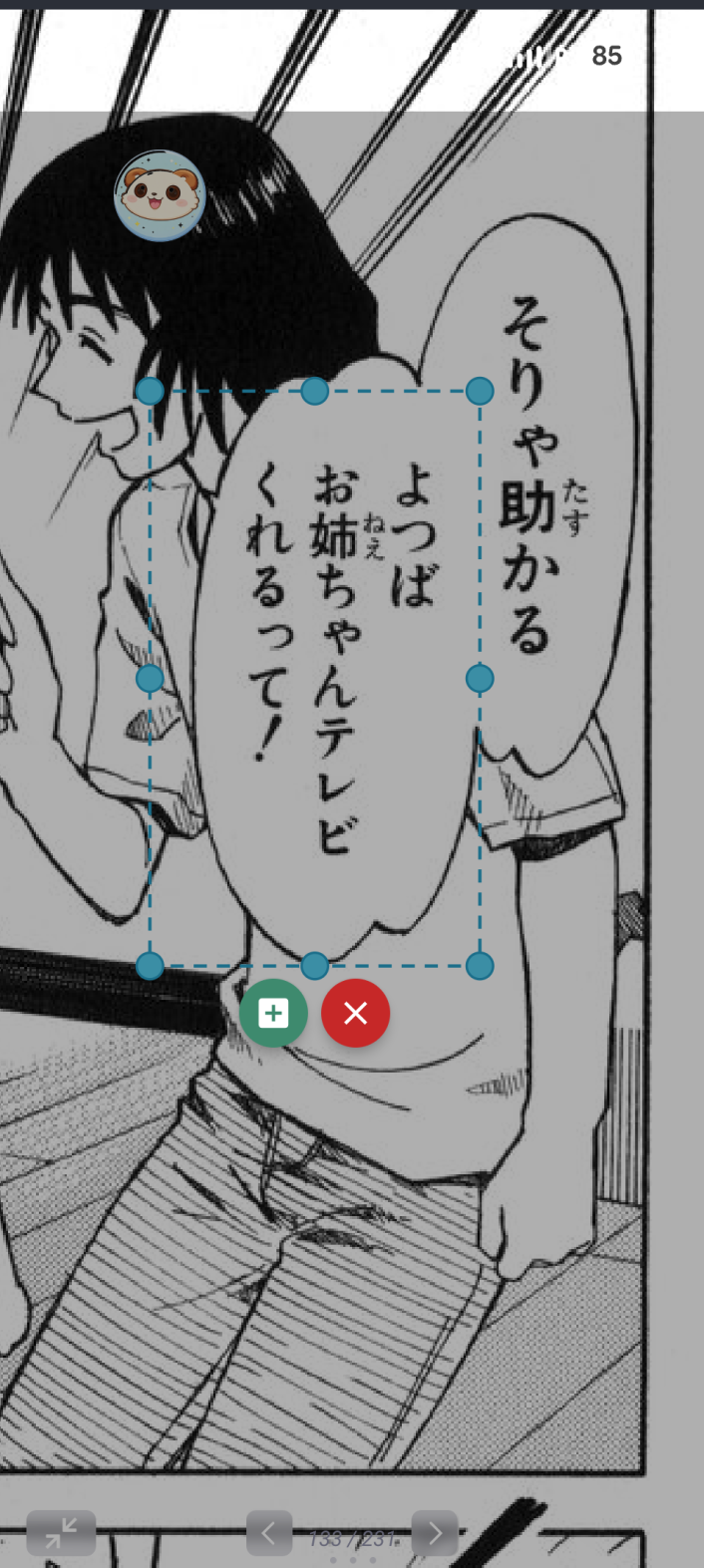
TapLex floats a little bubble over everything instead. Tap it and drag a box over the text you're stuck on. It hides itself so it won't show up in the shot, snaps a screenshot of just that region, then hands the crop to whichever AI you've set up.
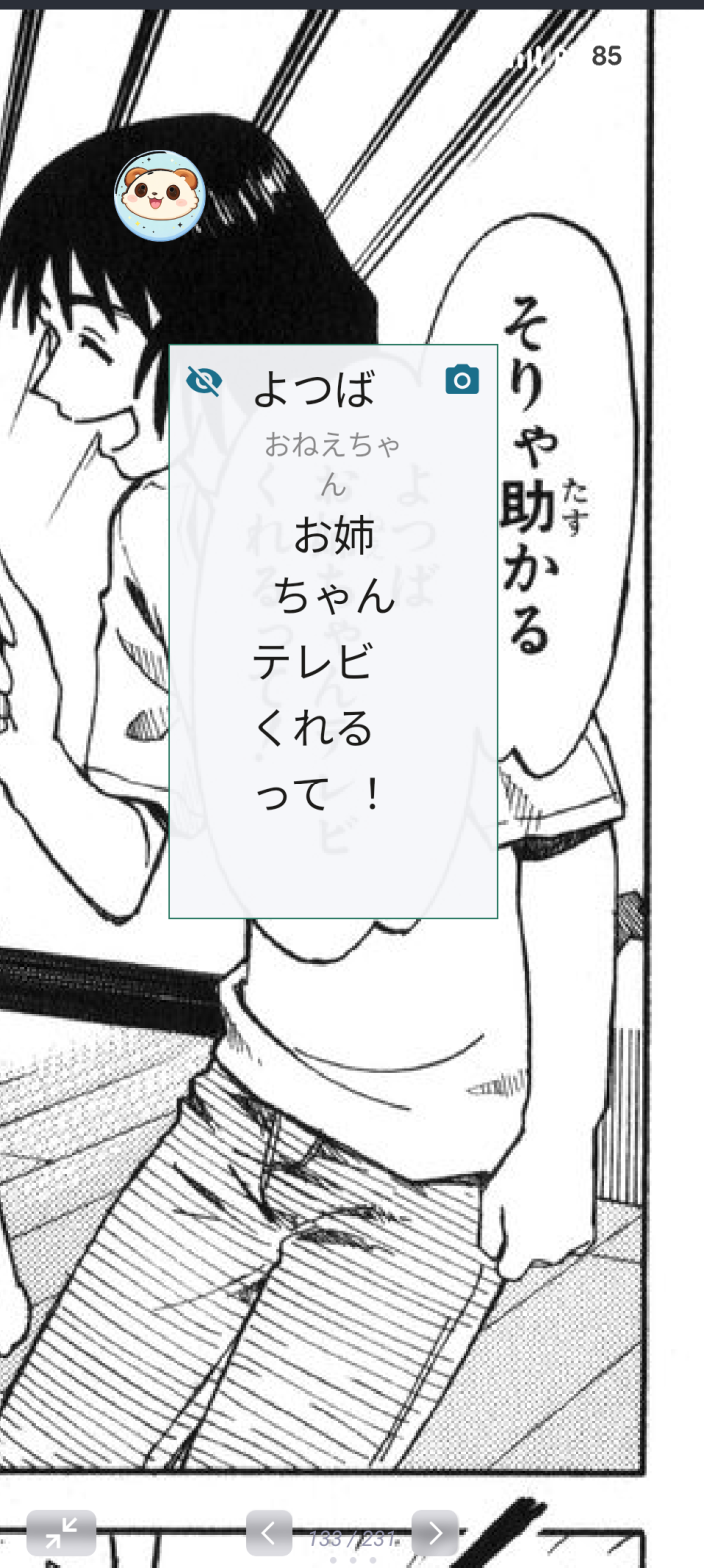
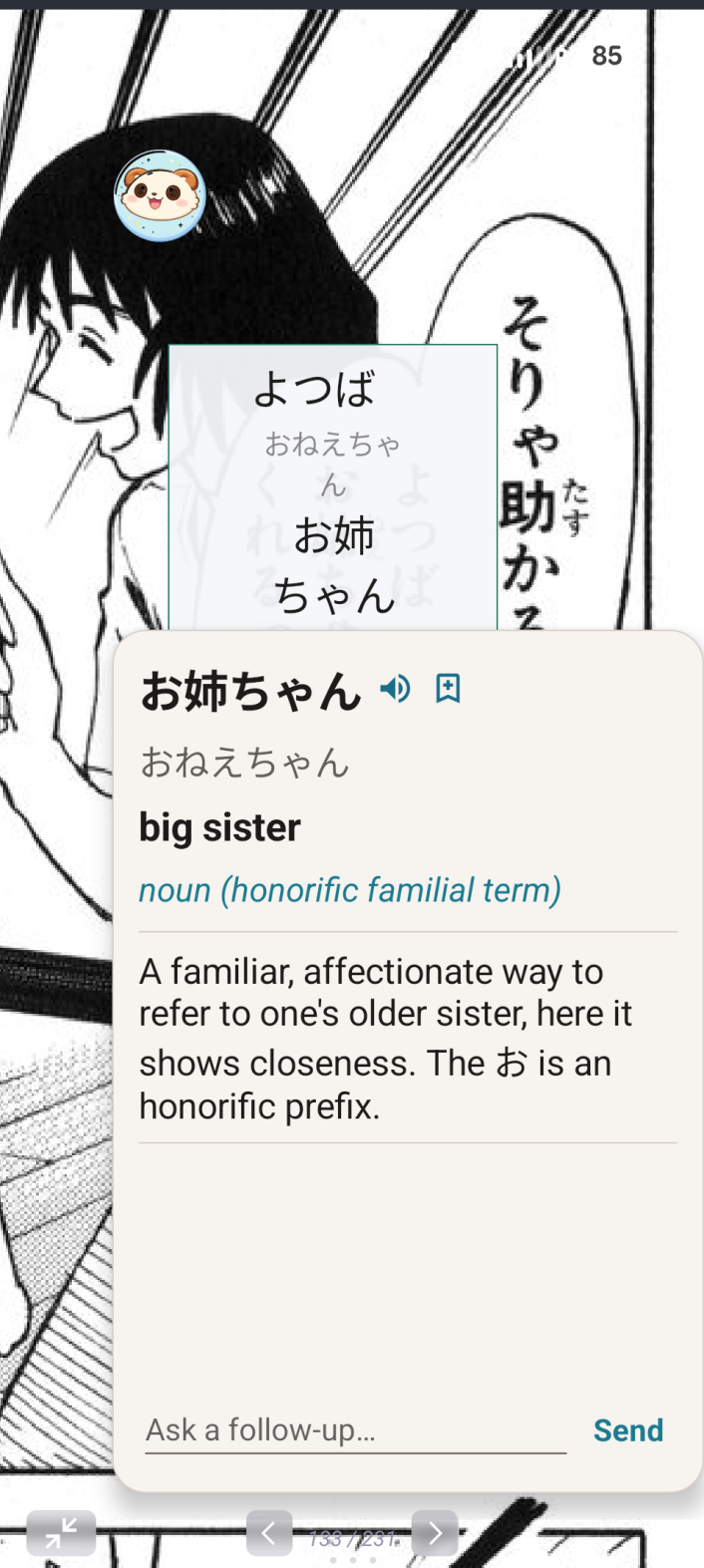
A moment later the same box fills with the sentence rebuilt as tappable words, with the reading printed as small furigana above each kanji. Tap any word and a popup gives its reading, meaning, and part of speech, plus a short note on nuance and a button to hear it spoken.
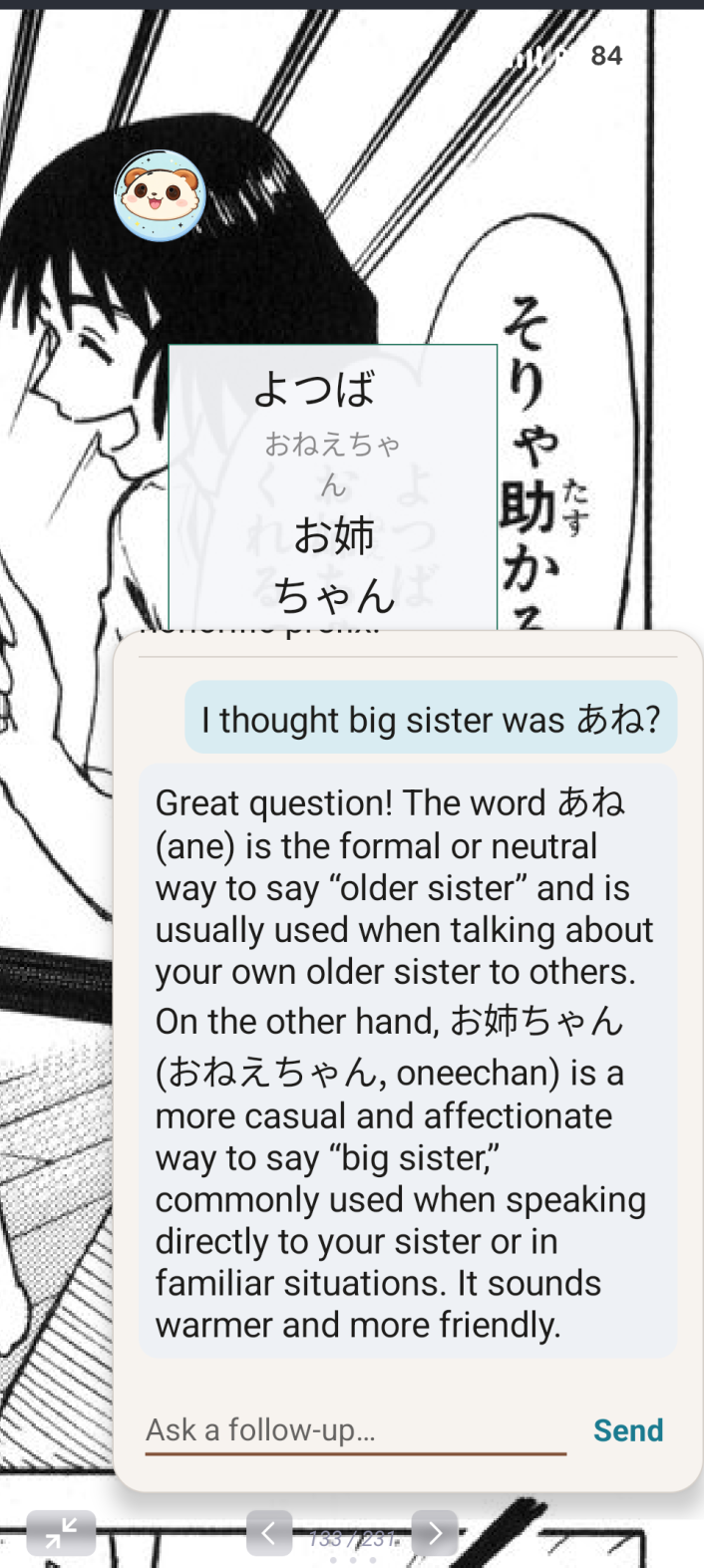
Still not sure why a word means what it does? Ask a follow-up right in the popup and it explains, in the context of that sentence. Save any word to your list in a tap, flip the box between the translation and the game underneath so you never lose your place, and revisit anything later from your history.
What it does
Draw a box over anything
The overlay rides over any app — games, manga readers, browsers, menus. Position a box over the exact text you're stuck on and capture just that.
Tappable words with furigana
The captured sentence comes back as clickable chips, with the reading set above every kanji as ruby text.
Pop-up dictionary
Tap a word for its reading, meaning, part of speech, and a one-line note on nuance — without ever leaving the game.
Ask a follow-up
Chat back for a deeper explanation of a word or grammar point, answered in the context of the sentence you're reading.
Hear it out loud
Built-in text-to-speech speaks the word, with optional higher-quality Azure neural voices if you add a key.
Save words & keep history
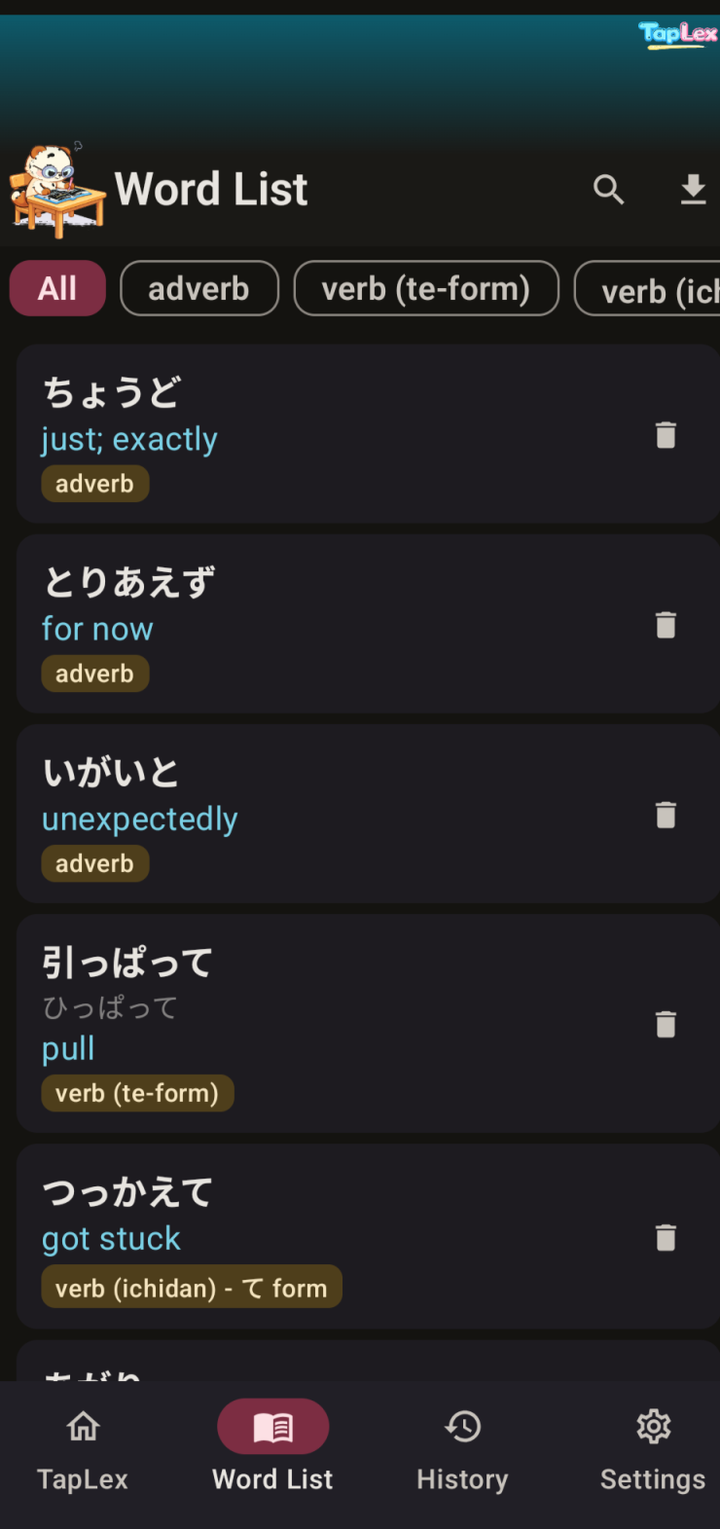
Build a categorized word list one tap at a time, and every capture is stored so you can go back to it.
Your choice of AI
Works with Claude (Anthropic), ChatGPT (OpenAI), or Gemini (Google) using your own API key — pick the provider and model you like.
Toggle between views
Flip a box between the translated words and the game showing through underneath, so you can check the original at a glance.
Reads many languages
Not just Japanese — pick the language you're reading and the one you want back, with runtime switching across 14 languages.
What you'll need
- Android 7.0 or newer
- Permission to draw over other apps, plus a screen-capture permission — the app asks for both on first run so it can show the box and snapshot the text inside it
- An API key from Anthropic, OpenAI, or Google — you bring your own, and the app talks straight to that provider
- An internet connection
Install it
This is a developer (debug) build, shared as-is — the same app I use day to day, not a Play Store release. It installs by sideloading, which is why Android shows the extra permission prompts.
- Download the APK below onto your Android phone.
- Open the downloaded file. Android will ask whether to allow installs from your browser or Files app — allow it. This is the normal "install unknown apps" prompt for anything that doesn't come from the Play Store.
- Tap Install, then Open.
- In the app's Settings, choose your provider (Claude, ChatGPT, or Gemini), paste your API key, and pick a model.
- Optional but recommended: enable TapLex under Android's Settings → Accessibility — it makes screen capture lighter on the battery.
- Tap Start TapLex, open your game or manga, then tap the floating bubble and drag a box over the text you want to read.
File details
- File
- TapLex-v1.0.apk
- Size
- 28,235,193 bytes (27 MB)
- SHA-256
7301c14f383c100011a93b41f42b614af041b3d38535b99460935bb957b857dd- Build
- debug
- Min Android
- 7
Privacy
TapLex sends each captured image straight to whichever AI provider you choose, using the API key you enter — nothing is routed through this site or any server of mine. Your saved words and capture history live on your phone.